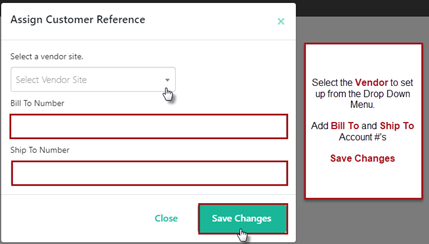
A Customer Reference number is added for vendors under each inventory location when an purchase order is generated to identify the Bill to and Ship To account numbers associated.
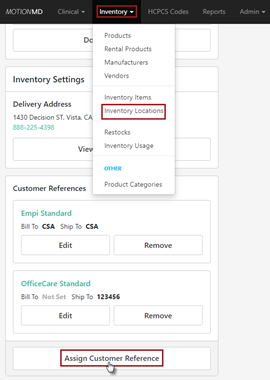
Go to the Inventory Tab > Inventory locations > Select an Inventory Location in the account > Select Assign Customer Reference:
Repeat these steps for each vendor under each inventory location that will be ordering from the vendor.
**PRINTABLE PDF AVAILABLE**