A user with the Admin Role can activate an inactive user in a MotionMD Direct account. Follow the steps below on how to Activate a User.
In the main navigation bar under the Admin tab select Users from the drop-down menu.

Use the search box to locate the user by typing in the user’s name or email address. Utilize the filters in the drop-down to assist in the search. Once the user is located, Click on the User’s Name:
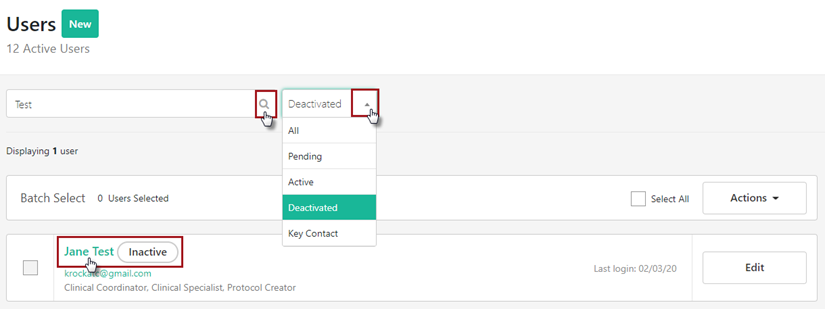
Select Activate User

Once user is activated, the Active pill will appear above the user name.
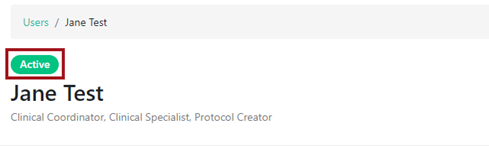
A user will have 72 hours to log in successfully before their account defaults back to inactive status.
Note: If the user is unable to recall their current password, they may utilize the forgot password option once reactivated to generate an email with a link to reset their password.
**PRINTABLE PDF AVAILABLE**